SmartTags on Connie: How to make your documents do more of the work
Pina Vetter
på
Produktnyheder
Gode råd
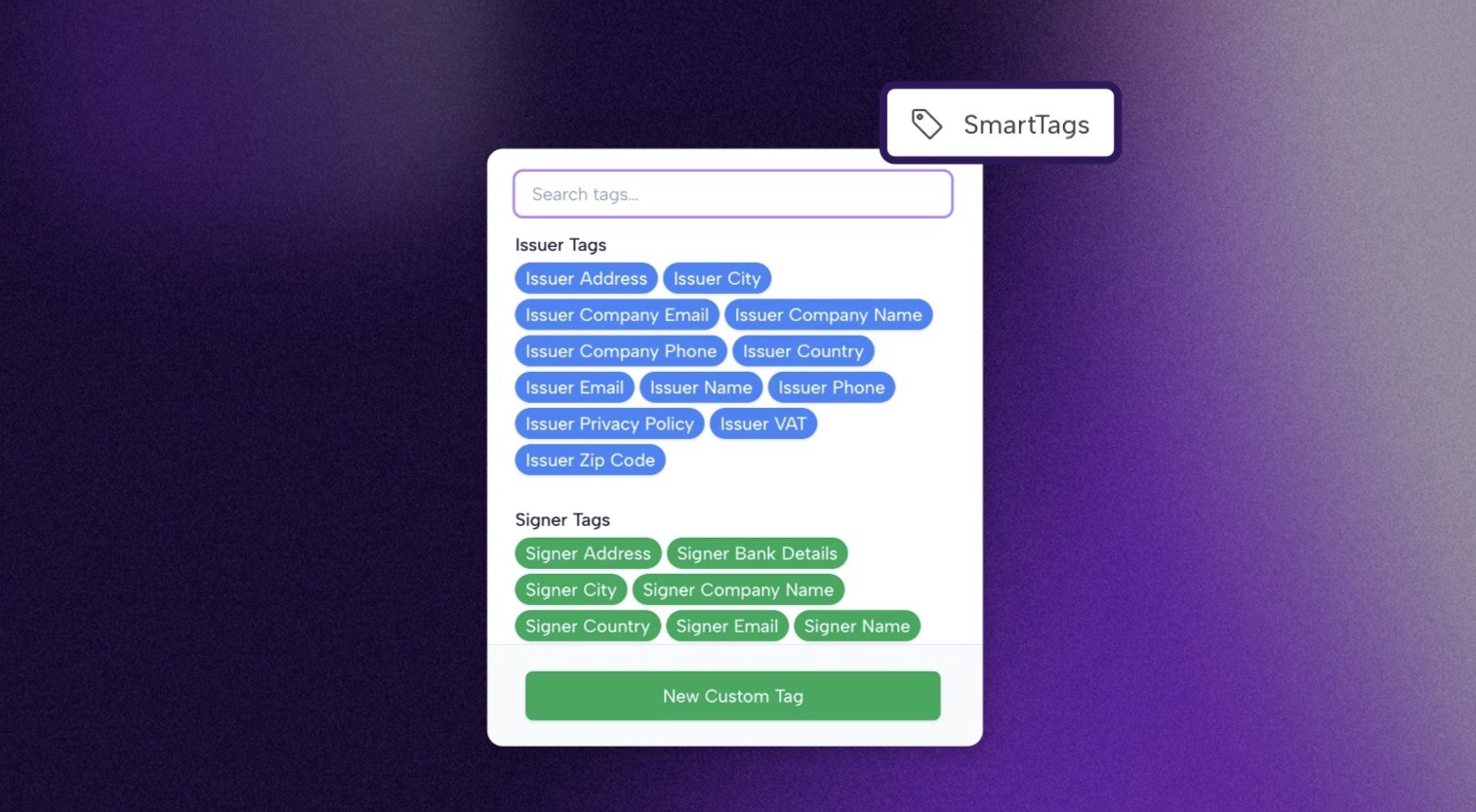
Filling in the same name, date, and company details across every contract you send is the kind of task that should not exist. SmartTags are how Connie eliminates it: dynamic fields that fill in automatically or prompt the right person to enter the right information, turning any document into something that genuinely does the work for you.
Picture this. You are three days out from a shoot. You have got twelve crew agreements to send, a model release for every person in front of the camera, and a location agreement that needs to go out before the end of the day. Every single one needs your company name, the project name, the issue date, and the signer's details in the right places.
Or maybe the problem is simpler than that. You send out a standard agreement and the signer comes back confused about where they are supposed to fill in their information.
SmartTags solve both of those problems.
Think of Them as Fields That Know Where to Look
SmartTags are placeholders you add to your templates and documents. Some pull in information automatically: your company name, the project title, the date the document was issued. Others create clearly marked input fields for whoever is completing the document, so signers always know exactly where information is needed and what to fill in.
The result is a document that is reusable without being a copy-paste job. The right names, dates, and details in the right places every time, and a clear, professional layout that guides the signer through without confusion.
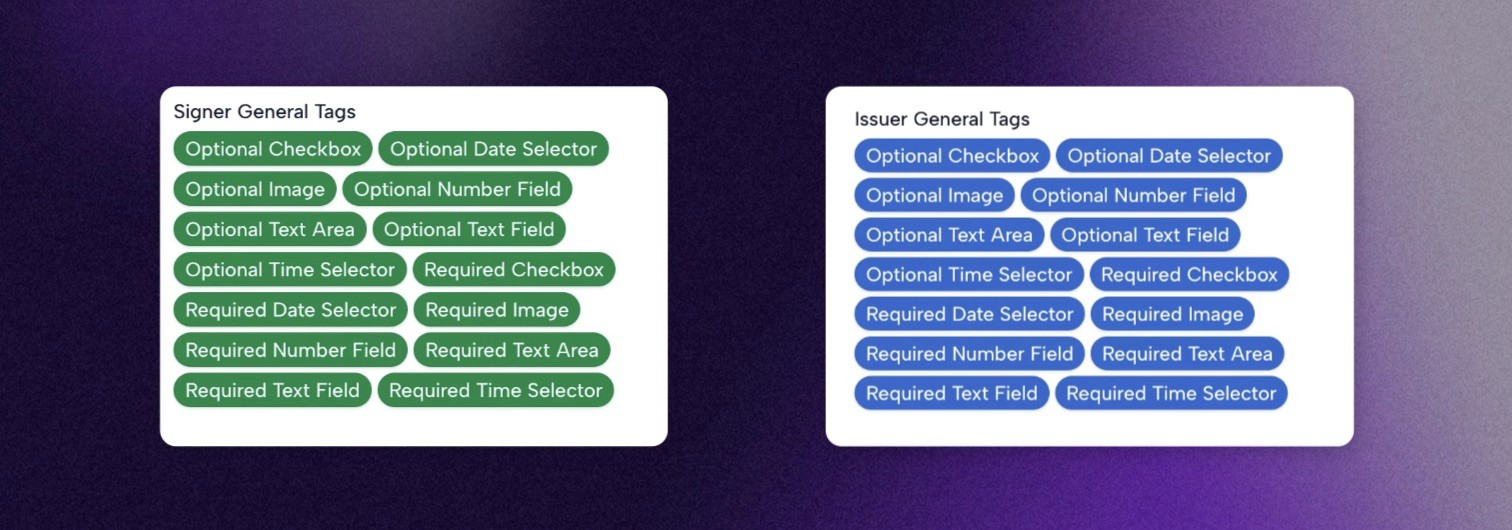
All SmartTags are colour-coded. Blue tags are linked to the issuer: information that is filled in automatically or by you when issuing the document. Green tags are connected to the signer: either details you fill in yourself when you know who the document is going to, or fields the signer completes themselves, like a phone number or bank details. Once you know that, a document full of SmartTags is easy to read at a glance.
The SmartTags Worth Knowing About
Issuer Tags pull in your own information: name, email, company name, and so on. As long as your profile is up to date in Connie, they fill in automatically every time. Set it once and it is done.

Signer Tags are filled in before signing: name, email address, phone number, and similar details. On a SignPage, the signer fills these in themselves. On an individual document, you fill them in when issuing, if you already know who the document is going to.

Project Tags pull in details from the project the document belongs to: project name, dates, and other project-level information. Useful for making sure every document automatically reflects the production it is part of.

Contract Tags pull in details from the document itself to: document name, issue date, and other document related information. Useful for making sure the document includes document specific information.

General Tags are where things get flexible. These create input fields directly in a document: text fields, checkboxes, number fields, date selectors, image upload fields, and more. Each instance is fully independent, meaning the same tag used three times in one document can hold three completely different values. Perfect for capturing different pieces of information in the same format across a document.
Custom Tags are SmartTags you create yourself, built around whatever your document specifically needs. Unlike general tags, custom tags are shared across the entire document. Fill one in and every instance updates automatically. That makes them ideal for information that repeats: a client name that appears five times, an ID number that needs to be consistent throughout, a project reference that shows up in multiple clauses. Enter it once and it is everywhere it needs to be.
Not sure which to use? A simple rule: if the same information needs to appear in multiple places, use a custom tag.
SmartTags and Templates: Better Together
SmartTags are what turn a static document into a proper reusable template. Combined with Connie's layout options and project structure, a template built with SmartTags is the difference between a document you have to rewrite every time and one that does the work for you.
Why SmartTags are amazing
Less manual work: Information that repeats fills in automatically, so you are not retyping the same details across every document
Fewer mistakes: Automatic fields mean less room for human error on names, dates, and project details
Clearer documents: Signers always know exactly where to fill in their information
Genuinely reusable templates: Build a template once and use it as many times as you need, without editing it every time
Consistent output: Every document that goes out looks and works the same way, regardless of who on your team issued it
Start a free trial now, find more information about Connie here, or book a demo session to learn more.

Related reading
Tidligere indlæg: